VendorLens

    Welcome offer: 50% off your first 3 months

    New customers only. Applied automatically at checkout.

    03d:00h:45m:01s
    See pricing

    A security document portal for NDA-gated sharing, with watermarks, expiry and audit logs

    You need to share sensitive security documents with customers — but email, Drive links and DocSend leave you with no NDA on file, no expiry, no watermark and no audit trail of who actually opened the file.

    VendorLens is purpose-built for secure security-document sharing. Every document has its own visibility tier, NDA workflow, expiry window and watermarking rule, and every view, request, approval and download is captured in an exportable audit log.

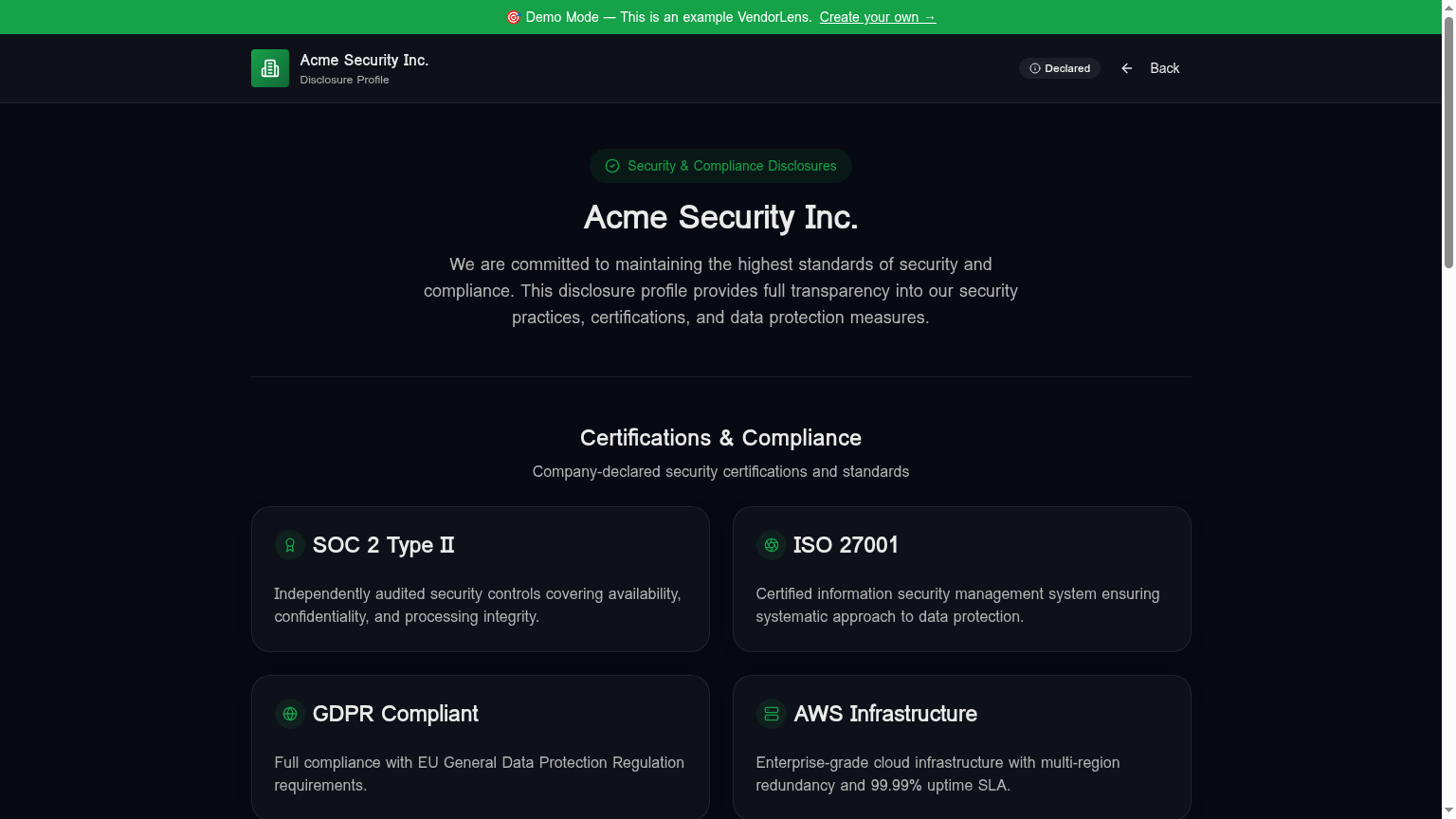
    A security document portal for NDA-gated sharing, with watermarks, expiry and audit logs — VendorLens trust portal screenshot

    Use cases

    SOC 2 report sharing

    Gate the full Type 2 report behind an NDA. Each download is watermarked with the requester's name and email and the signed URL expires in hours, not forever.

    ISO 27001 certificate sharing

    Keep the public certificate downloadable with one click and gate the full Statement of Applicability behind NDA. Replace the file when the certificate renews — the link stays the same.

    DPA sharing

    Publish your DPA as a public, frictionless download so procurement can attach it to the MSA without opening a support ticket. Track which customers pulled which version.

    Pen test summary sharing

    Share the redacted executive summary publicly or under NDA, keep the full technical report internal-only, and prove controlled distribution with the audit log.

    Policy sharing

    Security, BCP, incident response, acceptable use, vendor management — one place customers can self-serve every policy, with effective and last-reviewed dates surfaced inline.

    How it works

    1

    Upload the document and pick a tier

    Public, NDA-required or internal-only. Tier is per document and you can change it any time without breaking existing links.

    2

    Configure NDA, expiry and watermarking

    Use the built-in NDA template, paste your own, or wire up DocuSign / SignNow on paid tiers. Default access window is 24 hours; configurable per request.

    3

    Approve requests from one queue

    NDA requests land in the dashboard with company, email and signed NDA attached. Approve in one click once you are happy with the requester.

    4

    See every access in the audit log

    Every view, NDA signature, approval, download, expiry and renewal is logged with a timestamp and exportable as CSV for your own auditors.

    Manual process vs VendorLens

    TopicManual processWith VendorLens
    NDA on fileSometimes — buried in emailStored against every gated request
    Access expiryNever — the PDF lives on their diskTime-limited signed URLs, default 24h
    WatermarkingManual PDF editing per customerAutomatic, per-requester, on every page
    Audit trailNonePer-document, per-requester, exportable
    Revoking accessImpossible after the file is sentOne click invalidates active URLs
    Updating a documentRe-email everyone, hope they replace itReplace the file — the link stays the same

    Three tiers of document visibility

    Most security document sets sort cleanly into three buckets, and deciding the bucket once, per document, is what keeps the rest of the process simple.

    Public — no request needed: SOC 3 report, ISO 27001 certificate, security overview or whitepaper, subprocessor list, pen-test summary letter. These are written for external distribution, and publishing them openly answers most early-stage questions before a customer ever contacts you.

    Gated — NDA and approval: SOC 2 Type 2 report, SOC 2 Type 1, bridge (gap) letter, full penetration-test report, detailed architecture documents. Listed on the portal so customers can see they exist, but downloadable only after the requester identifies themselves, accepts or signs the NDA, and you approve.

    Internal only — never on the portal: raw control evidence, unredacted findings and remediation tickets, internal audit working papers, customer-specific security assessments. These are working materials, not customer artefacts, and belong outside the portal entirely.

    Why the full report is commonly gated

    A SOC 2 Type 2 report includes the auditor's opinion alongside a description of your system, your control activities, the tests performed and any exceptions noted. Many teams treat that level of detail as commercially and operationally sensitive, so they gate the full report and publish a summary openly. That is common practice rather than a universal rule — your own legal and security teams decide.

    Email is fast, and plenty of teams still use it. The practical difference is that an emailed attachment has no expiry, no watermark identifying the recipient, and no record of who opened or forwarded it. A portal link gives you those three things without slowing the deal down.

    When the report lives on a portal, sales sends the same link every time and customers self-serve, while security reviews requests in one queue instead of being pulled into individual email threads for each prospect.

    Deciding what is public, gated or internal — a starting point

    This is not a standard or a legal requirement, and it is not legal advice — your legal and security teams decide what you publish, what you gate and what stays internal. As a starting point: the SOC 2 Type 2 report is usually gated, with an NDA, a watermark and a short expiry window, because it is the document most customers actually ask for and the one most teams keep behind identity plus an agreement. The SOC 3 report, ISO 27001 certificate and a security overview are usually public with no NDA, no watermark and no expiry, because they are written for general distribution. A penetration-test summary letter is often public or gated depending on how much detail it contains, while the full technical report is normally gated. Bridge or gap letters are commonly shared alongside the report they cover, under the same access rule.

    What VendorLens does not do

    VendorLens does not perform a SOC 2 audit — you bring the report your auditor issued. It does not certify, accredit or validate your company or its controls, and it does not collect control evidence or run continuous compliance monitoring.

    It is not a GRC platform: no risk register, policy management or control frameworks. It also does not answer security questionnaires for you, with or without AI. VendorLens is a portal for publishing and controlling access to documents you already have.

    Frequently asked

    How does NDA gating actually work for a document like the SOC 2?

    When you mark a document as NDA-required, the document appears on your portal as listed but un-downloadable. A customer clicks "Request access", fills in their name, work email and company, and is presented with your NDA — either the built-in template, your own pasted text, or a DocuSign / SignNow flow on paid tiers. Once they sign, the request lands in your dashboard. You approve in one click and they receive an email with a signed URL that expires in the configured window (default 24 hours). The signed NDA is stored against the request, the document download is watermarked with their identity on every page, and the entire chain — request, NDA, approval, download — is in the audit log against a stable request ID you can cite to your own auditor.

    Can I control how long customers keep access?

    Yes, and at two levels. Per-request you set an access token expiry, which controls how long the signed URL is valid after approval. The default is 24 hours, but common configurations are 4 hours for highly sensitive reports, 7 days for procurement reviews, and 30 days for ongoing customer relationships. At the document level you can also set "request expiry" — the maximum age of any approved request before the customer has to re-request — which is the right control for documents that go stale (subprocessor list, current pen test). Expired access can be renewed without re-signing the NDA if the original NDA is still within its validity window.

    Are downloaded PDFs traceable to the customer who downloaded them?

    Yes. NDA-gated PDF downloads are watermarked on the fly by our PDF watermarking edge function. A diagonal stripe with the requester's name and email is injected on every page of the PDF before the signed URL is served. Two customers downloading the same SOC 2 report receive two distinctly traceable files — if a watermarked PDF surfaces somewhere it should not, you can trace it back to the specific approved request and the NDA the customer signed. Watermarking applies to NDA-gated PDFs by default; you can disable it per document where it is not appropriate (a public certificate, for example).

    What does the audit log capture, and who can see it?

    The audit log captures every meaningful event against every document and request: page views with timestamp and (where authenticated) requester identity, NDA signatures, access requests, approvals and rejections with reviewer identity, downloads with the version downloaded, access expiries, and access renewals. The log is visible only to authenticated members of your VendorLens workspace and is exportable as CSV for your own auditors or for your internal vendor security reviews. It is also the artefact your auditor will ask for when they review how you control distribution of confidential security reports under SOC 2 CC6.1 / ISO A.9.4.

    How is this different from DocSend or a shared Drive link?

    DocSend and Drive links solve a piece of the problem — they give you view-tracking and sometimes link expiry — but they do not enforce an NDA before viewing, do not watermark PDFs per requester, do not store a signed NDA against each access, and do not produce an audit artefact that maps cleanly to SOC 2 or ISO control language. They are also generic file-sharing tools, so customers do not associate the link with your security program. VendorLens is purpose-built for security documents: every primitive (NDA, watermark, expiry, renewal, audit) exists because a vendor security review asks for it, and the portal sits on your domain so the experience reads as part of your security program rather than an attachment in a third-party reader.

    Can I share some documents publicly and gate others?

    Yes, and this is the normal pattern. Visibility is set per document, so a security overview, SOC 3 report or ISO certificate can download directly from your portal while the SOC 2 Type 2 report or a full pen-test report shows a request-access button. Most sets sort into three tiers: public documents that need no request (SOC 3, ISO certificate, security overview, subprocessor list, pen-test summary letter), gated documents that need identity plus an NDA and your approval (SOC 2 Type 2, SOC 2 Type 1, bridge letters, full pen-test reports), and internal-only material that never appears on the portal at all (raw control evidence, unredacted findings, audit working papers, customer-specific assessments).

    Why do teams gate the full SOC 2 report instead of publishing it?

    A SOC 2 Type 2 report includes the auditor's opinion alongside a description of your system, your control activities, the tests performed and any exceptions noted — detail many teams treat as commercially and operationally sensitive. Gating it behind an NDA and an approval step gives you an identity, an agreement and a record attached to every copy, which an emailed PDF cannot provide: no expiry, no watermark identifying the recipient, and no record of who opened or forwarded it. This is common practice rather than a rule — your own legal and security teams decide what to publish, gate or keep internal.

    How do I decide what to make public, what to gate and what to keep internal only?

    A useful starting point: publish anything written for external distribution (SOC 3 report, ISO certificate, security overview, subprocessor list, pen-test summary letter) since that answers most early questions and cuts down the requests you review. Gate anything with operational detail a competitor or a bad actor could misuse (SOC 2 Type 2 and Type 1 reports, bridge letters, full pen-test reports, detailed architecture documents) behind identity, an NDA and your approval. Keep working materials off the portal entirely — raw control evidence, unredacted findings, remediation tickets and customer-specific assessments belong internal or shared case by case. This reflects common practice among B2B software teams, not a standard or a legal requirement, and it is not legal advice.

    What does VendorLens not do?

    It does not perform a SOC 2 audit — you bring the report your auditor issued. It does not certify, accredit or validate your company or its controls. It does not collect control evidence or run continuous compliance monitoring, and it is not a GRC platform: no risk register, policy management or control frameworks. It also does not answer security questionnaires for you, with or without AI. VendorLens publishes and controls access to documents you already have.

    What happens to old access when a new SOC 2 report is issued?

    Replace the document in your library rather than adding a new one. New requests and downloads receive the current report, and the access history for previous versions stays intact, so you can still see who received the earlier report and when. If your next audit period is still open, add the bridge letter alongside the report it covers under the same gating.

    Ready to publish your trust center?

    Start free, or talk to us about the design partner program.