
Welcome offer: 50% off your first 3 months
New customers only. Applied automatically at checkout.
Vendor due-diligence portal
A vendor due-diligence portal for companies being reviewed by their customers
When an enterprise customer starts a vendor review, they want the same evidence pack every time: the current audit report, certificates, the DPA, the subprocessor list, policies and a recent pen-test summary. VendorLens puts that pack in one branded portal with per-document access rules, so your side answers from a single place instead of assembling attachments per deal.
Built for the side being assessed
“Vendor due diligence” describes two different jobs. VendorLens does one of them: presenting your own evidence to the customers reviewing you.
What VendorLens is for
- You are the assessed company: the vendor, supplier or service provider being reviewed.
- Your customers, prospective customers and their risk teams request evidence you already own.
- You want control over who sees the sensitive files, and a record of what was shared.
- You want the same portal link to work in a first deal and in next year’s reassessment.
What it is not
- This page covers the sell side. Assessing your own suppliers is a separate module — Vendor Assessments (Beta) — not part of the customer-facing portal.
- It is not a full enterprise TPRM platform for a large vendor inventory with programme-level reporting.
- It does not rate or continuously monitor other companies’ security posture.
- It does not ingest external risk feeds, breach alerts or financial-health signals.
If you also need to review the suppliers you depend on, Vendor Assessments (Beta) is included in the same account: add a supplier, answer six exposure questions for an explainable inherent-risk rating, send a recommended questionnaire pack, collect answers and evidence through an expiring link, and record an approval, conditional approval or rejection with its rationale. See the plan limits.
How a customer’s review runs through the portal
Six stages, from the moment a review opens to the sign-off — and what each stage asks of your team.
1.Review is triggered
The customerProcurement, IT security or a risk reviewer opens a vendor review — usually after a deal reaches contracting, or on a scheduled reassessment date.
Your teamNothing to prepare per customer. The portal already holds the current evidence set.
2.Portal link is shared
The customerReceives one link, from your sales team, your security page or the vendor record they keep.
Your teamPaste the same link into RFP responses, security-review threads and renewal emails.
3.Self-serve on open evidence
The customerReads your certification summary and downloads the items you publish openly — commonly the DPA, subprocessor list and policy summaries.
Your teamDecide document by document what is open. Effective dates are shown alongside each item.
4.Request for restricted files
The customerRequests the audit report or pen-test summary, submits their name, work email and company, and signs your NDA inline or through DocuSign / SignNow.
Your teamApprove or decline from one queue, choosing which documents the approval covers.
5.Controlled download
The customerGets a time-limited link and a watermarked copy carrying their name and email, then completes the review.
Your teamAccess expires on its own window; you can revoke an approval while its links are unexpired.
6.Follow-up and sign-off
The customerSends the questions the documents did not answer — typically contract-specific or deployment-specific ones.
Your teamAnswer a short list instead of a blank spreadsheet, and keep the activity history as your record.
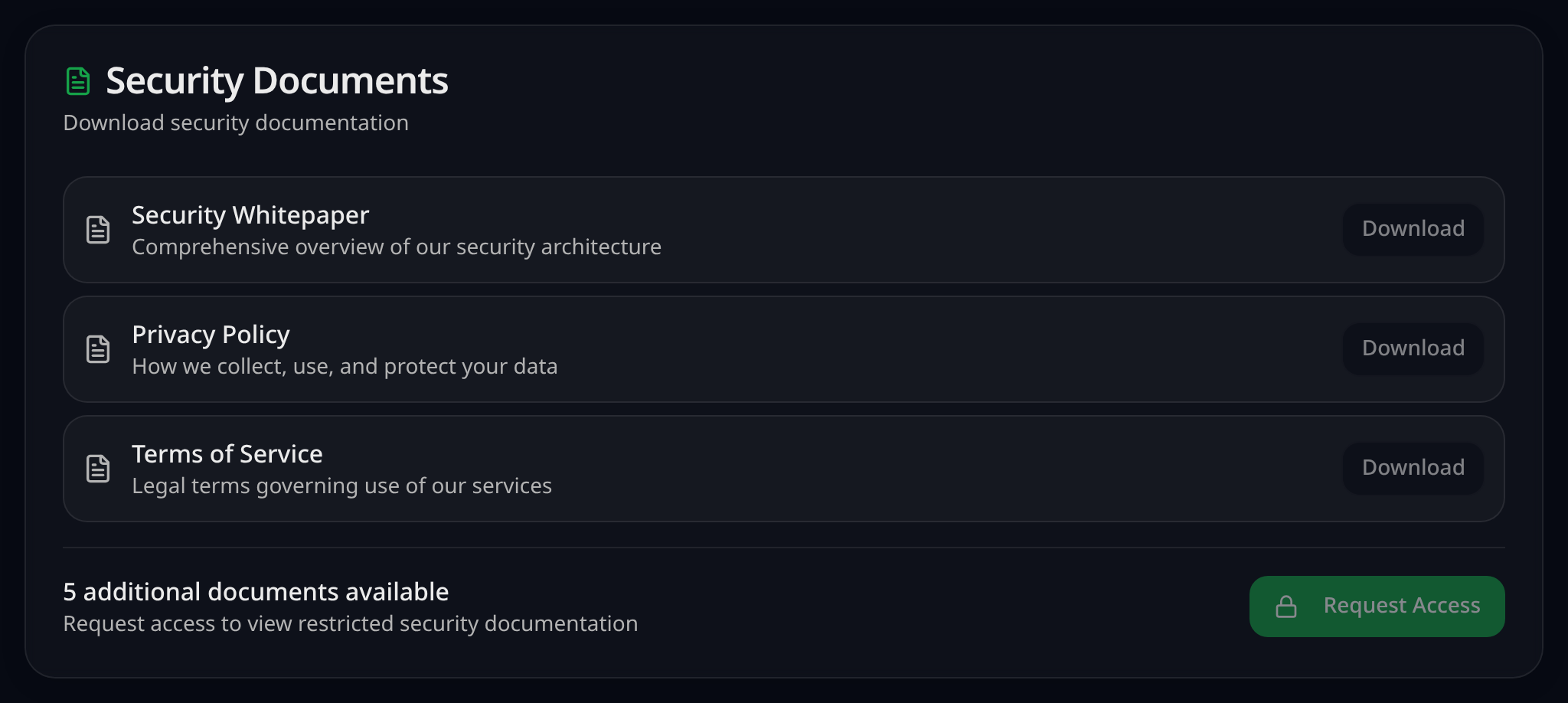
Preparation checklist before the next review
Most of the delay in a vendor review comes from work that could have been done once. This is the set-up that makes the next request a link instead of a project.
Assemble the evidence
- Current SOC 2 report or ISO 27001 certificate, plus a bridge letter if the audit period is open.
- Pen-test summary from the most recent test, in a shareable (non-raw) form.
- DPA, privacy policy and subprocessor list with hosting regions and a last-updated date.
- Security overview, incident-response summary and business-continuity summary.
- Insurance certificate, if your customers routinely ask for it.
Decide the access rules
- Mark each document open or restricted — a legal and security decision, not a default.
- Agree the NDA text you will use, or connect your e-signature provider.
- Set the default access window, and note which reviewers usually need longer.
- Decide whether restricted downloads should be watermarked with the requester.
Name the owners
- Who approves access requests, and who covers them when that person is away.
- Who owns each document’s refresh date after a new audit period or policy update.
- Who answers the follow-up questions the evidence cannot cover.
- Where sales should send customers so the review starts on the portal, not in an inbox.
Wire it into the sales motion
- Add the portal link to your security page, RFP template and email signatures.
- Publish on your own domain, such as trust.yourcompany.com, if your plan includes it.
- Record the questions customers ask twice, and turn them into published material.
- Set a reminder to review the whole set on the same cadence as your audit cycle.
Evidence and access matrix
A starting point, not a rule. How each document is handled is your legal and security team’s decision — the middle column reflects what is common among B2B software sellers.
| Document | Common handling | Portal controls available |
|---|---|---|
| SOC 2 report (Type 1 or Type 2) | Restricted — request plus NDA | Watermarked download, time-limited link, approval logged |
| ISO 27001 certificate | Often open; the Statement of Applicability usually restricted | Effective dates shown; restrict the SoA separately |
| Penetration-test summary | Restricted — request plus NDA | Watermarked download, short access window |
| Data processing agreement | Commonly open | Published version, views recorded |
| Subprocessor list | Commonly open | Replace in place when a subprocessor changes |
| Security and privacy policies | Summaries open; full policies vary by company | Per-document visibility, last-updated date |
| Business continuity / DR summary | Open or restricted, depending on detail | Per-document visibility |
| Insurance certificate | Usually restricted | Request and approval, expiry window |
| Internal drafts and raw test output | Not published | Keep out of the portal entirely |
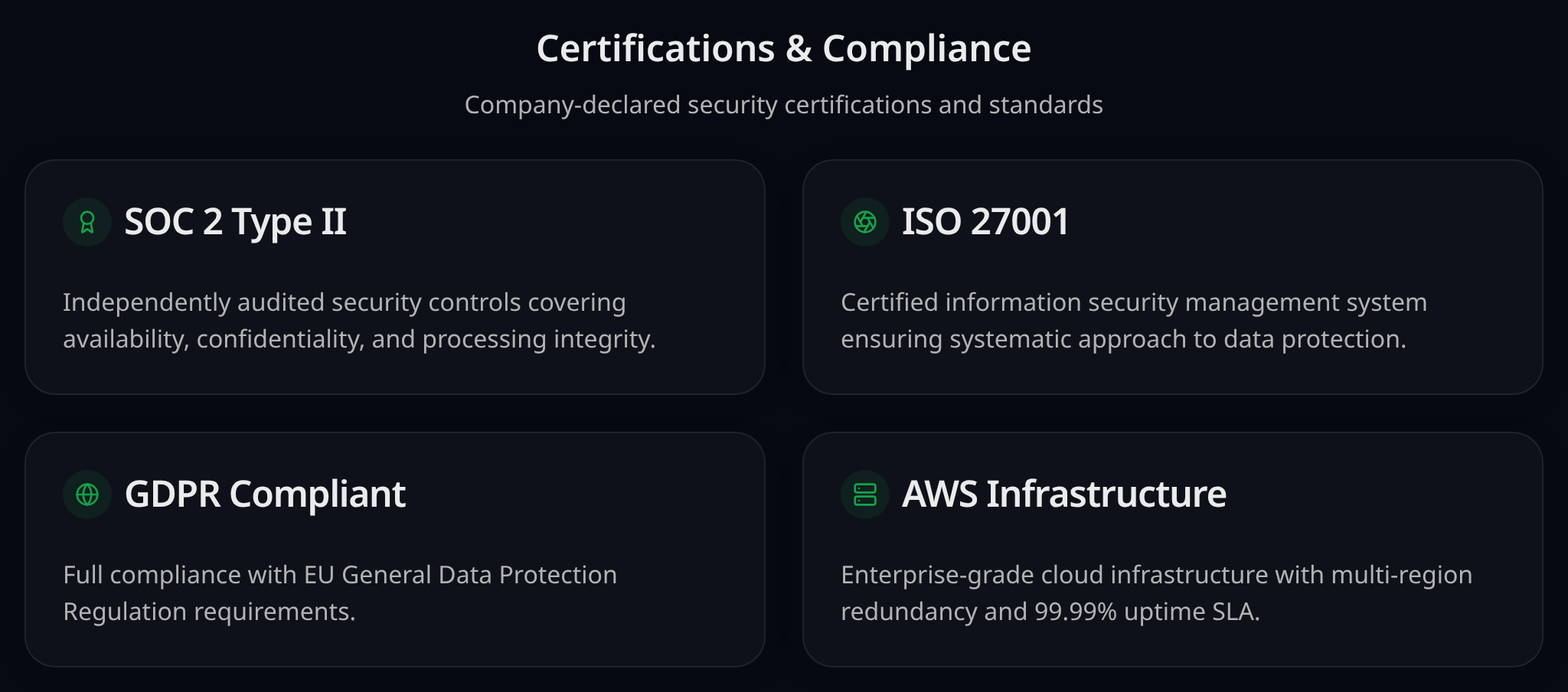
The annual reassessment, without a resend
Replace the file, keep the link
When a new report, certificate or policy version lands, upload it in place of the old one. Customers holding the portal link — including ones who saved it in their vendor record last year — reach the current version without you sending anything.
Publish the bridge letter next to the report
If the next audit period has not closed, add the bridge letter as its own document under the same access rule as the report it covers, so a reviewer reading an older report also sees the letter covering the gap.
Handle the reassessment wave from one queue
Reassessments cluster: several customers ask in the same weeks. Requests arrive in one approval queue rather than across forwarded email threads, and each approval names the documents it covers.
Close out last year’s access
Approvals expire on their own window, and you can revoke one while its links are unexpired. Files a customer already downloaded stay downloaded — a portal controls distribution, not copies already made.
Keep your own record
The activity history logs page views, document views, requests, approvals and declines, downloads and expiries with timestamps, exportable as CSV for your internal reviews. Whether any particular auditor or customer treats it as sufficient evidence is their call.
The same portal covers new reviews and existing-customer reassessments
Security document requests do not stop at signature. Annual reassessments, renewals and newly issued certificates bring customers back to the same evidence pack.
Annual vendor reassessments
Most enterprise customers re-review their vendors on a yearly cycle. The request usually arrives as a spreadsheet plus a note asking for your latest SOC 2 report, insurance certificate and policy set — the same documents you sent during the original deal, only newer.
Renewals that reopen security review
A renewal often triggers a fresh look from the customer's security or procurement team, sometimes with different reviewers than the ones who signed off originally. Whoever handles the renewal on your side ends up chasing the current documents again.
New certificates and updated policies
A new audit period, a re-issued ISO certificate, an updated DPA or a changed subprocessor means every customer holding the old copy is now holding something out of date. Emailing an updated attachment to each of them does not scale, and there is no way to tell who read it.
Repeated customer-success and security requests
The requests land wherever the customer has a contact: customer success, the account owner, support, sometimes the founder. Each one becomes an internal ping to whoever holds the documents, and the same answer gets written again.
Access controls that carry from the first review into every reassessment
Public or restricted, per document
Set visibility document by document. Low-sensitivity items like the DPA, subprocessor list and policy summaries are commonly published openly; the full report and pen-test results are commonly kept behind a request. Where the line sits is your legal and security team's decision.
Time-limited download links
Approved access uses a signed link with an expiry window — 24 hours by default in VendorLens, configurable when a reviewer needs longer.
Revoking an approval
You can revoke an approved request from the request screen, which invalidates links issued under it that have not already expired. Anything already downloaded remains downloaded — a portal controls distribution, not copies already made.
Offboarding and churn
Public documents stay public. For a departing customer you either revoke active approvals immediately or let the existing window expire, and the activity history keeps the record of what was shared while the relationship was live.
What each role gets from the same portal
Customer success and account management
One link to send for every document request, whether it is a first review or a renewal, without depending on the security lead being available before a deadline.
Security and compliance
Requests arrive in one approval queue instead of forwarded threads, with a record of who was approved for what and when access ended.
Sales
The same portal link used in the original deal carries into the renewal and the next reassessment, so nothing new has to be assembled.
The customer's risk reviewer
Self-serve access to the current documents on their own schedule, without waiting for a reply to find out whether a newer report exists.
Template: vendor-review document pack
A free one-page template for assembling your evidence pack: every document customers ask for, who owns it, its effective date and whether it is open or restricted. Process guidance only — it contains no legal or contractual wording.
When you need a full TPRM platform instead
If any of these describes your requirement, a third-party-risk-management or GRC platform fits it and VendorLens does not. It is a different job, not a cheaper version of the same one.
- You are the customer, assessing and re-assessing a portfolio of suppliers rather than answering reviews.
- You need a vendor inventory with internal owners, contract dates and renewal tracking.
- You need continuous monitoring, risk scoring or external threat and breach feeds.
- You need scheduled, programme-wide questionnaire campaigns across a large supplier inventory rather than assessments on the suppliers that matter.
- You need approval workflows, risk registers and remediation tracking across many vendors.
- You need an integrated GRC programme: control monitoring, evidence collection, policy authoring.
Plenty of teams need both: a platform for the vendors they assess, and a portal for the customers assessing them. See how VendorLens compares with a platform that covers both sides in VendorLens vs Whistic.
What this portal does not do
- VendorLens does not audit, assess or certify anything. It distributes documents you already have.
- It does not complete customer questionnaires or spreadsheets for you, and it has no AI questionnaire filling.
- On the supplier side it performs point-in-time assessments only — there is no continuous monitoring or security rating.
- It cannot guarantee that a given customer, procurement team or auditor accepts your evidence or your activity log.
- It does not replace the follow-up conversation on contract- or deployment-specific questions.
- Per-customer document sets are handled through approvals, not per-customer logins to a private workspace.
Questions sellers ask about due-diligence portals
Answer the next review from one link
Publish what can be open, keep the sensitive files behind a request and an NDA, and keep your own record of what was shared.